

Showing posts with label Utilities. Show all posts
Showing posts with label Utilities. Show all posts

I have Found These Ways To Unblock Youtube watch videos and upload video on Youtube.
1. Normal Users;
This method is for all those who just want to watch videos on YouTube and want to unblock YouTube only for watching videos. All those people are requested to open any of the following websites.
www.proxfree.com
www.kproxy.com
www.unblockbook.biz
www.4everproxy.com
Inside the box just write down YouTube.Com and press Enter button, YouTube will be open and you can browse/download videos from YouTube on your normal speed. In these methods you cannot login to your YouTube Account.
2. YouTube Video Downloaders;
This method is for all those who want a maximum speed of download for YouTube videos, they are requested to open the following website.
www.hotspotshield.com and download the software (free) after installing the hotspotshield enable the software and browse for YouTube videos.
In this method you will be able to login to your YouTube account and can watch YouTube videos without any problem of speed. You will get the maximum speed for download that you have. In this method you cannot upload videos to your YouTube account.
3. YouTube Video Uploaders;
This method is for all those who want to upload videos to their YouTube account. Download SpotFlux By Clicking here. After installing enable the software and start uploading videos to your YouTube account. Please do not download videos using this method because it reduces the speed upto 3 times than your original one, but so far the best way to use for uploading videos to YouTube Account where YouTube is blocked.
IMPORTANT: Someone has commented that his/her connection was terminated by PTCL, I am using these proxies for last two years since YouTube and Facebook was firstly blocked in Pakistan by PTA.
For more updates please subscribe to my Blog or Join my Facebook Page.

Typing Master
Touch typing tutor
 | Learn the powerful touch typing technique |
| Double your typing speed to save time |
| Interactive training with a personal approach |
Your Personal Typing Tutor
Meet TypingMaster Pro, the personal touch typing tutor that adapts to your unique needs. The program provides customized exercises and helpful feedback to guide you step by step to professional keyboarding. As a result your typing speed will increase significantly saving you a lot of valuable work time.
Adjusts to Your Progress
At every stage training is adjusted to your personal progress. Weak spots are pinpointed and rapidly eliminated with additional exercises. Thanks to this personal approach you can put your new skills into action after only 3 to 5 hours of training.
At every stage training is adjusted to your personal progress. Weak spots are pinpointed and rapidly eliminated with additional exercises. Thanks to this personal approach you can put your new skills into action after only 3 to 5 hours of training.
The Benefits of Touch Typing
|


For Any Help Contact Me here.
Thanks For Visiting my site.
VeryPDF PDF to Word Converter can edit and reuse PDF contents by exporting the text, images and other contents from PDF files into Microsoft Word (DOC / DOCX) and Rich Text Format (RTF). The text, images, fonts and layouts of the original PDF files will be exactly preserved in the converted Word documents. VeryPDF PDF to Word has its own PDF interpreter, so it does NOT require Adobe Acrobat, Acrobat Reader or any other third-party PDF reader or maker.
Supported Operating Systems
Key Features of VeryPDF PDF to Word Converter

Convert PDF to Word (DOC, DOCX and RTF)
- Input format: PDF, support the latest PDF format.
- Output formats: DOC, DOCX, RTF. Convert PDF to multiple document formats.
- Support encrypted PDF: convert encrypted PDF files that are protected by owner (permission) password denying printing, editing, and copying to Word documents.
- Reconstruction Modes: provide several reconstruction modes.
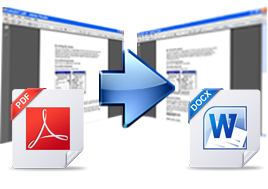
Convert PDF to Word quickly and easily
- Support batch conversion: convert multiple documents from PDF to Word/RTF one time.
- Support drag and drop: you can just drag and drop PDF files to the interface of the application.
- Select page range: you can select all the pages, individual pages, or page ranges for conversion.
- View after conversion: converted files can be automatically opened when conversion is completed.
Retain PDF all contents into Word
- Images and graphics: option to delete or retain graphics and pictures from the generated Word documents.
- Text boxes: option to flow text from PDF to MS Word without text boxes. You can also preserve the text boxes if you like.
- Modifiable text: the contents of PDF files can be edited after you convert PDF to Word or RTF. You can highlight, copy, modify and deleted the text in the generated Word or RTF documents.
Feature of VeryPDF PDF to Word Converter
- Convert PDF to Microsoft Word (DOC, DOCX) and Rich Text Format (RTF).
- Support MS-DOS command line operations.
- Easily drag and drop PDF to interface and convert.
- Do not need third-part PDF related software.
- Support PDF format version up to 1.8.
- Support batch conversion.
- Convert specified pages of PDF.
- Accurately retain text, graphics, fonts and layouts of original PDF.
- Option to remove graphics components of PDF in conversion.
- Have several different reconstruction modes for conversion.
- Support PDF in languages of English, French, German, Italian, Chinese Simplified, Chinese Traditional, Czech, Danish, Dutch, Japanese, Korean, Norwegian, Polish, Portuguese, Russian, Spanish, Swedish, etc.

PDF Converter Elite 3.0.9 | 30.3 MB
Solve PDF hassles and save your organization valuable time and money with PDF Converter Elite. Convert PDF to Word, Excel, PowerPoint. Create secure PDF and edit PDF.
PDF Converter Elite offers the complete the PDF conversion cycle. From creating PDFs from over 300+ file types to the ability to take PDF documents and transform them into useable Word, Excel and PowerPoint documents, PDF Converter Elite is a one stop software solution.
PDF Converter Elite will save you time, resulting in thousands of dollars of savings and less administrative headaches. Create PDF documents with our single click add-ons. Our unique PDF conversion and extraction technology lets you convert your documents without having to re-type.
.jpg)
Internet Download Manager 6.12 Final Build 12 Fixed compatibility problems with different browsers including Internet Explorer 9 Final, all Mozilla Firefox versions up to Mozilla Firefox 14 (Aurora), Google Chrome. Improved FLV grabber to save videos from web players on YouTube, Google Video, MySpace TV, and other popular sites.
Internet Download Manager (IDM) is a tool to increase download speeds by up to 5 times, resume and schedule downloads. Comprehensive error recovery and resume capability will restart broken or interrupted downloads due to lost connections, network problems, computer shutdowns, or unexpected power outages. Simple graphic user interface makes IDM user friendly and easy to use.Internet Download Manager has a smart download logic accelerator that features intelligent dynamic file segmentation and safe multipart downloading technology to accelerate your downloads. Unlike other download managers and accelerators Internet Download Manager segments downloaded files dynamically during download process and reuses available connections without additional connect and login stages to achieve best acceleration performance.
Internet Download Manager supports proxy servers, ftp and http protocols, firewalls, redirects, cookies, authorization, MP3 audio and MPEG video content processing. IDM integrates seamlessly into Microsoft Internet Explorer, Netscape, MSN Explorer, AOL, Opera, Mozilla, Mozilla Firefox, Mozilla Firebird, Avant Browser, MyIE2, and all other popular browsers to automatically handle your downloads. You can also drag and drop files, or use Internet Download Manager from command line. Internet Download Manager can dial your modem at the set time, download the files you want, then hang up or even shut down your computer when it's done.
Other features include multilingual support, zip preview, download categories, scheduler pro, sounds on different events, HTTPS support, queue processor, html help and tutorial, enhanced virus protection on download completion, progressive downloading with quotas (useful for connections that use some kind of fair access policy or FAP like Direcway, Direct PC, Hughes, etc.), built-in download accelerator, and many others.
Version 6.12 adds IDM download panel for web-players that can be used to download flash videos from sites like YouTube, MySpaceTV, and Google Videos. It also features complete Windows 7 and Vista support, YouTube grabber, redeveloped scheduler, and MMS protocol support. The new version also adds improved integration for IE and IE based browsers, redesigned and enhanced download engine, the unique advanced integration into all latest browsers, improved toolbar, and a wealth of other improvements and new features.


YouTube HD Video Downloader [PRO] v3.5 + Serial Key
.jpg)
INFO

Complete name          : YouTube HD Video Downloader [PRO] v3.5 + Serial Key
Format                 : .exe
File size              : 6.74 MiB
Uploader               : RedDragon
Laicense               : Full Version
Released Date          : January/01/2012
Version                : 3.5 [PRO]
Language               : English
Platform               : Windows Xp / Windows 7 / Windows Vista /


====================
INSTALLATiON GUIDE.
=====================

1) Download & Extract the .rar file "YouTube HD Video Downloader [PRO] - {RedDragon}"
2) Install the Software by using the Setup file given.
3) AFter Installation run the shortcut file & then copy "CRACK.exe" file to the installed
   directory & hit on replace
   Example :- C:\Program Files\YouTube Downloader
4) Then open the shortcut file from the Desktop and click on "Help" on the right
   side & hit on "Registration" and paste the given "Serial Key" & finish the
   registration.
5) Now it weill be Valid for life long..

   ENJOY.!!!
  ==========
Source: Thepiratebay.org

CamStudio v2.6b



READ MORE
CamStudio is able to record all screen and audio activity on your computer and create industry-standard AVI video files and using its built-in SWF Producer can turn those AVIs into lean, mean, bandwidth-friendly Streaming Flash videos (SWFs)
Here are just a few ways you can use this software:
- You can use it to create demonstration videos for any software program
- Or how about creating a set of videos answering your most frequently asked questions?
- You can create video tutorials for school or college class
- You can use it to record a recurring problem with your computer so you can show technical support people
- You can use it to create video-based information products you can sell
- You can even use it to record new tricks and techniques you discover on your favourite software program, before you forget them.

DriverMax is a powerful free utility which helps you download, update, backup and restore the drivers installed on your Windows PC. It automatically checks for more recent driver versions and identifies and installs missing drivers for unknown devices in your computer. Download all drivers from one place in just a few easy steps and keep your PC up to date. Backup drivers and keep all of them in one compressed file; restore them at a mouse click within a few minutes. This tool will save you a lot of time when reinstalling Windows, both on recent PCs and older computers for which the original CDs containing the drivers have been lost. You no longer have to track down old driver installation CDs, insert one installation CD after another or spend hours searching for drivers on the Internet. DriverMax is able to display a detailed report about all installed drivers (versions, release dates) and provide you with Windows Experience Index rating information before you purchase new hardware.
What's new in this version: Version 6.0 features a new download engine, a new design, and a lot of useful updates.

WebEasy 8 is a bit of a compromise for any potential website designer. More advanced users are likely to find it restrictive, as the templates are rigid and editing HTML is a tricky process.
Novice users will find the interface pretty unpleasant to use, as many of the built-in tools are difficult to find.
The Professional version of the software includes hosting for three months and a free subdomain – you'll need to look to the Platinum edition to get a proper domain included along with a full year of hosting.
There's the usual raft of site templates on offer, including a selection for iPhones and other mobiles, and they are generally of a high standard.
WebEasy 8 is a good example of a program that attempts to walk the fine line between advanced and beginner web-design tools and ends up falling into neither camp.
While there's not a great deal intrinsically wrong with the software, there's also little to make it stand out. Extended use proves to be a frustrating experience.
This is a Trial version.


The program is especially designed to be very clear, fast, pleasant and intuitive. Easy to read information and help is readily available throughout the program, guiding you every step of the way.
Advanced Uninstaller PRO helps your PC run at its full speed by taking good care of the Windows registry and services. It also helps you free disk space by detecting and removing duplicate files and helping you turn on the Windows file compression if needed.
The program can delete the web browsing and document opening history in many applications, so you can surf the Internet and open images, videos and any other file without worry. It can also defend your right to privacy by shredding the files and folders you choose in such a way that they won't ever be recovered. Internet Explorer 8, Mozilla Firefox 3 and Google Chrome are now fully supported.
With Advanced Uninstaller PRO, you have all the tools you need to uninstall programs, speed up and fix your PC, protect your privacy, remove lots of annoying plugins, toolbars and browser hijackers that other cleaning tools don't detect and remove.
Advanced Uninstaller PRO runs on Windows 7, Windows Vista and Windows XP and has been reviewed and recommended by prestigious computer magazines and testing labs all over the world.
All the tools of Advanced Uninstaller PRO now work on 64-bit versions of Windows, and are safe to use.

NEW Internet Download Manager v6.08 Beta. Fixed compatibility problems with different browsers including Internet Explorer 9 Final, Mozilla Firefox 4, Mozilla Firefox 5, Mozilla Firefox 6 and Mozilla Firefox 7, Google Chrome. Improved FLV grabber to save videos from web players on YouTube, Google Video, MySpace TV, and other popular sites.
Lates updates of Internet Download Manager (IDM) release on 25 November 2011. According to the official Internet Download Manager site, Internet Download Manager 6.08 beta updates the video recognition for web player and added support for new types video sites and several fixed bugs. The previous version have support the latest Firefox 9.
Internet Download Manager Support all popular browser to integrate with. And the latest fixes is this Internet Download Manager 6.08 beta now support for the latest Mozilla Firefox 9 browser. Besides Mozilla Firefox 9, Internet Download Manager can be integrated with other browser such as Google Chrome, Opera, Safari, Internet Explorer, etc. When the browser had integrate with Internet Download Manager, you just need to click the download link and Internet Download Manager will take over the work for you with extremely higher speed than your browser could do.
Internet Download Manager (IDM) is a tool to increase download speeds by up to 5 times, resume and schedule downloads. Comprehensive error recovery and resume capability will restart broken or interrupted downloads due to lost connections, network problems, computer shutdowns, or unexpected power outages. Simple graphic user interface makes IDM user friendly and easy to use.Internet Download Manager has a smart download logic accelerator that features intelligent dynamic file segmentation and safe multipart downloading technology to accelerate your downloads. Unlike other download managers and accelerators Internet Download Manager segments downloaded files dynamically during download process and reuses available connections without additional connect and login stages to achieve best acceleration performance.
IDM 6.08 Beta supports proxy servers, ftp and http protocols, firewalls, redirects, cookies, authorization, MP3 audio and MPEG video content processing. IDM integrates seamlessly into Microsoft Internet Explorer, Netscape, MSN Explorer, AOL, Opera, Mozilla, Mozilla Firefox, Mozilla Firebird, Avant Browser, MyIE2, and all other popular browsers to automatically handle your downloads. You can also drag and drop files, or use Internet Download Manager from command line. Internet Download Manager can dial your modem at the set time, download the files you want, then hang up or even shut down your computer when it's done.
Other features include multilingual support, zip preview, download categories, scheduler pro, sounds on different events, HTTPS support, queue processor, html help and tutorial, enhanced virus protection on download completion, progressive downloading with quotas (useful for connections that use some kind of fair access policy or FAP like Direcway, Direct PC, Hughes, etc.), built-in download accelerator, and many others.
IDM Version 6.08 Beta adds IDM download panel for web-players that can be used to download flash videos from sites like YouTube, MySpaceTV, and Google Videos. It also features complete Windows 7 and Vista support, YouTube grabber, redeveloped scheduler, and MMS protocol support. The new version also adds improved integration for IE and IE based browsers, redesigned and enhanced download engine, the unique advanced integration into all latest browsers, improved toolbar, and a wealth of other improvements and new features.
 All popular browsers and applications are supported! All popular browsers and applications are supported! |  Download Speed Acceleration. Download Speed Acceleration. | |
Internet Download Manager supports all popular browsers including IE, AOL, MSN, Mozilla, Netscape, Firefox, Avant Browser, and many others. Internet Download Manager supports all versions of all popular browsers, and it can be integrated into any Internet application to take over downloads using unique "Advanced Browser Integration" feature.
|
Internet Download Manager can accelerate downloads by up to 5 times due to its intelligent dynamic file segmentation technology. Unlike other download managers and accelerators Internet Download Manager segments downloaded files dynamically during download process and reuses available connections without additional connect and login stages to achieve best acceleration performance.
| |
 Easy downloading with one click. Easy downloading with one click. |  Download Resume. Download Resume. | |
When you click on a download link in a browser, IDM will take over the download and accelerate it. You don't need to do anything special, just browse the Internet as you usually do. IDM will catch your downloads and accelerate them. IDM supports HTTP, FTP, HTTPS and MMS protocols.
|
Internet Download Manager will resume unfinished download from the place where they left off. Comprehensive error recovery and resume capability will restart broken or interrupted downloads due to lost or dropped connections, network problems, computer shutdowns, or unexpected power outages.
| |
 YouTube grabber. YouTube grabber. |  Simple installation wizard. Simple installation wizard. | |
Internet Download Manager can record and download FLV videos from popular sites like YouTube, MySpaceTV, and Google Video. The best way of downloading webpage embedded videos from the Internet is here. After installing IDM, "Download This Video" button pops up whenever you are watching a video anywhere in the Internet. Just click on the button to start downloading clips.
|
Quick and easy installation program will make necessary settings for you, and check your connection at the end to ensure trouble free installation of Internet Download Manager
| |
 Automatic Antivirus checking. Automatic Antivirus checking. |  Built-in Scheduler. Built-in Scheduler. | |
Antivirus checking makes your downloads free from viruses and trojans. IDM can automatically run a scanner on download completion, like AdAware, Avast, Spybot, AVG Anti-Virus, McAfee, SpywareBlaster, CCleaner and others to protect users from harmful downloaded files.
|
Internet Download Manager can connect to the Internet at a set time, download the files you want, disconnect, or shut down your computer when it's done. You can also synchronize changes using periodic synchronization of files. It's possible to create and schedule several download queues for downloading or synchronization.
| |
 Drag and Drop. Drag and Drop. |  Advanced Browser Integration. Advanced Browser Integration. | |
You may simply drag and drop links to IDM, and drag and drop downloaded files out of Internet Download Manager.
|
When enabled, the feature can be used to catch any download from any application. None of download managers have this feature.
| |
 IDM includes web site spider and grabber. IDM includes web site spider and grabber. |  Customizable Interface. Customizable Interface. | |
IDM downloads all required files that are specified with filters from web sites, for example all pictures from a web site, or subsets of web sites, or complete web sites for offline browsing. It's possible to schedule multiple grabber projects to run them once at a specified time, stop them at a specified time, or run periodically to synchronize changes.
|
You may choose the order, buttons, and columns to appear on the main IDM window. There are several different skins for the toolbar with different button styles. All skins can be downloaded from IDM home site. Also users can design their own skins.
| |
 IDM supports many types of proxy servers. IDM supports many types of proxy servers. |  IDM supports main authentication protocols: Basic, Negotiate, NTLM, and Keberos. IDM supports main authentication protocols: Basic, Negotiate, NTLM, and Keberos. | |
For example, IDM works with Microsoft ISA, and FTP proxy servers.
|
Thus IDM can access many Internet and proxy servers using login name and password.
| |
 Download All feature. Download All feature. |  Download limits. Download limits. | |
IDM can add all downloads linked to the current page. It's easy to download multiple files with this feature.
|
Progressive downloading with quotas feature limits downloading to defined number of megabytes per hour. The feature is useful for connections that use fair access policy (or FAP) like Direcway, Direct PC, Hughes, etc.
| |
 IDM is multilingual. IDM is multilingual. |  Quick Update Feature. Quick Update Feature. | |
IDM is translated to Albanian, Arabic, Azerbaijan, Bosnian, Bulgarian, Chinese, Croatian, Czech, Danish, Dutch, Farsi, French, German, Greek, Hebrew, Hungarian, Italian, Japanese, Korean, Lithuanian, Macedonian, Norwegian, Polish, Portuguese, Romanian, Russian, Serbian, Slovak, Slovenian, Spanish, Thai, Turkish, and Uzbek languages.
|
Quick update may check for new versions of IDM and update IDM once per week. Quick updates feature lists all new features added to the latest version and asks a user if he wants to update IDM to the latest version.
|
 Download Categories. Download Categories. | ||
Internet Download Manager can be used to organize downloads automatically using d
efined
|
defined download categories.


